A church runs programming all week, not just Sunday

Right now the schedule lives in a spreadsheet, the sign-ups live in someone's inbox, and the bulletin is out of date by Tuesday. The job is simple to name and hard to do: fill the hall, know who's coming, and don't let it all rest on one heroic volunteer.

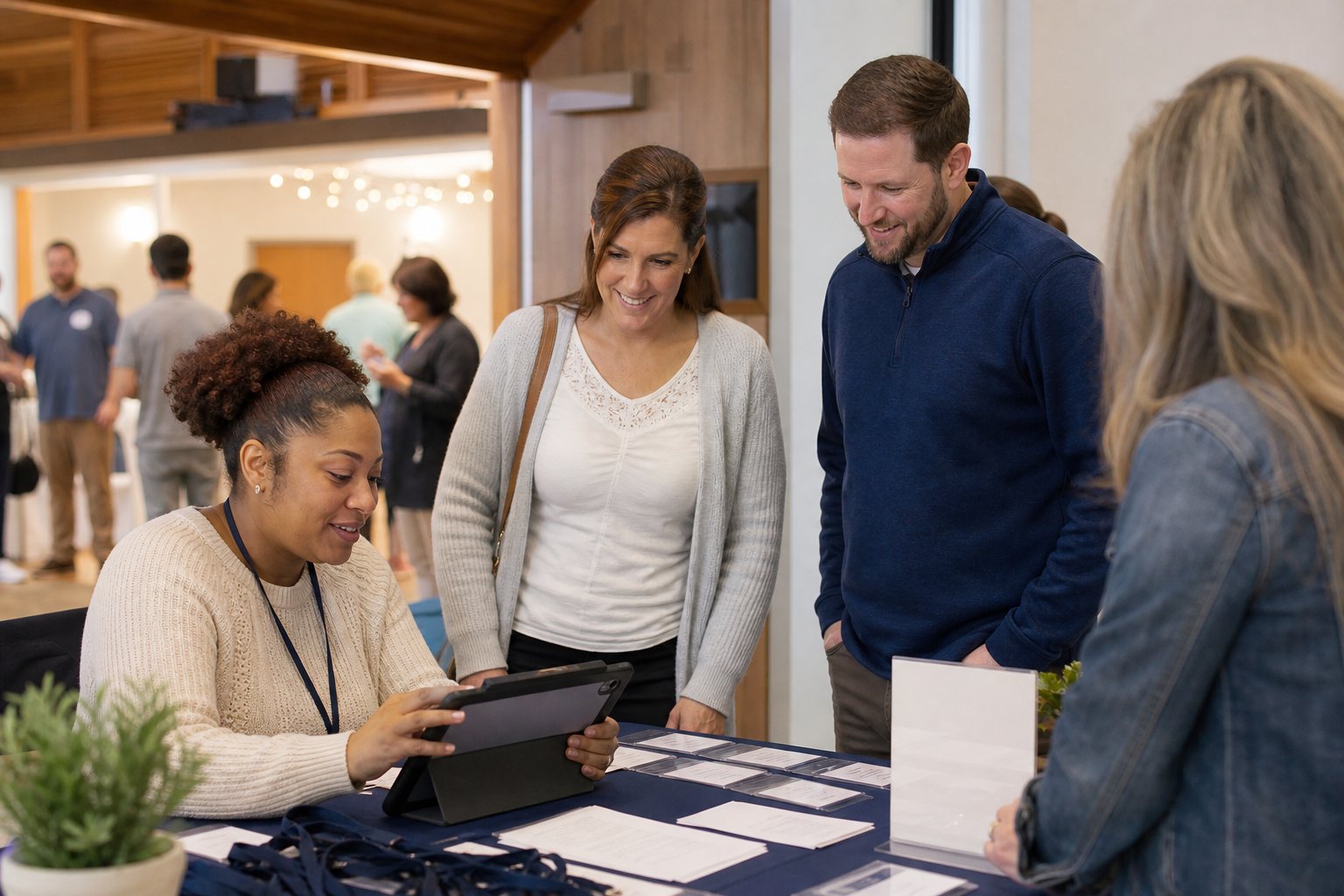
Church volunteers use a tablet to check in people for an event
Program check-in at the welcome table — attendance, RSVP status, and follow-up tied back to the event.
Sun
Services9:00 & 11:00
Newcomers' lunch12:30 · RSVP
Mon
Prayer meeting7:00 pm
Tue
Women's Bible study10:00 am
Wed
Youth group6:30 pm
Thu
Choir practice7:30 pm
Fri
Marriage coursewk 3 of 6 · RSVP
Sat
Men's breakfast8:00 · 24/30 places

…and VBS is coming in June, with 120 places and a registration list to manage.

Every gathering gets a page, a list, and a plan

VBS registration, the marriage course, the men's breakfast — each one becomes a public event page with a shareable link. Families open it, read the details, and RSVP — no account, no app to install. Drop the link in the bulletin, the newsletter, or the congregation's WhatsApp group chat.

RSVP that respects capacity

Set the number of places — the hall holds what it holds. RSVPs count down in real time, and the event closes itself when it's full.

Waitlists with auto-promotion

When the last place goes, new RSVPs join a waitlist. A family cancels? The first family in line is promoted automatically — no one keeps a list on paper.

The list your team actually needs

Who's coming, who's waiting, who cancelled — one view for the volunteer coordinator, the kitchen team, and the pastor's Monday briefing.

Grace Community Church

Vacation Bible School 2026

📅 Mon June 15 – Fri June 19 · 9:00 am – 12:30 pm
📍 Fellowship Hall & East Lawn
112 of 120 places reserved
Reserve places →

Full? Join the waitlist — places open as plans change.

A public event page — share the link anywhere your congregation reads.

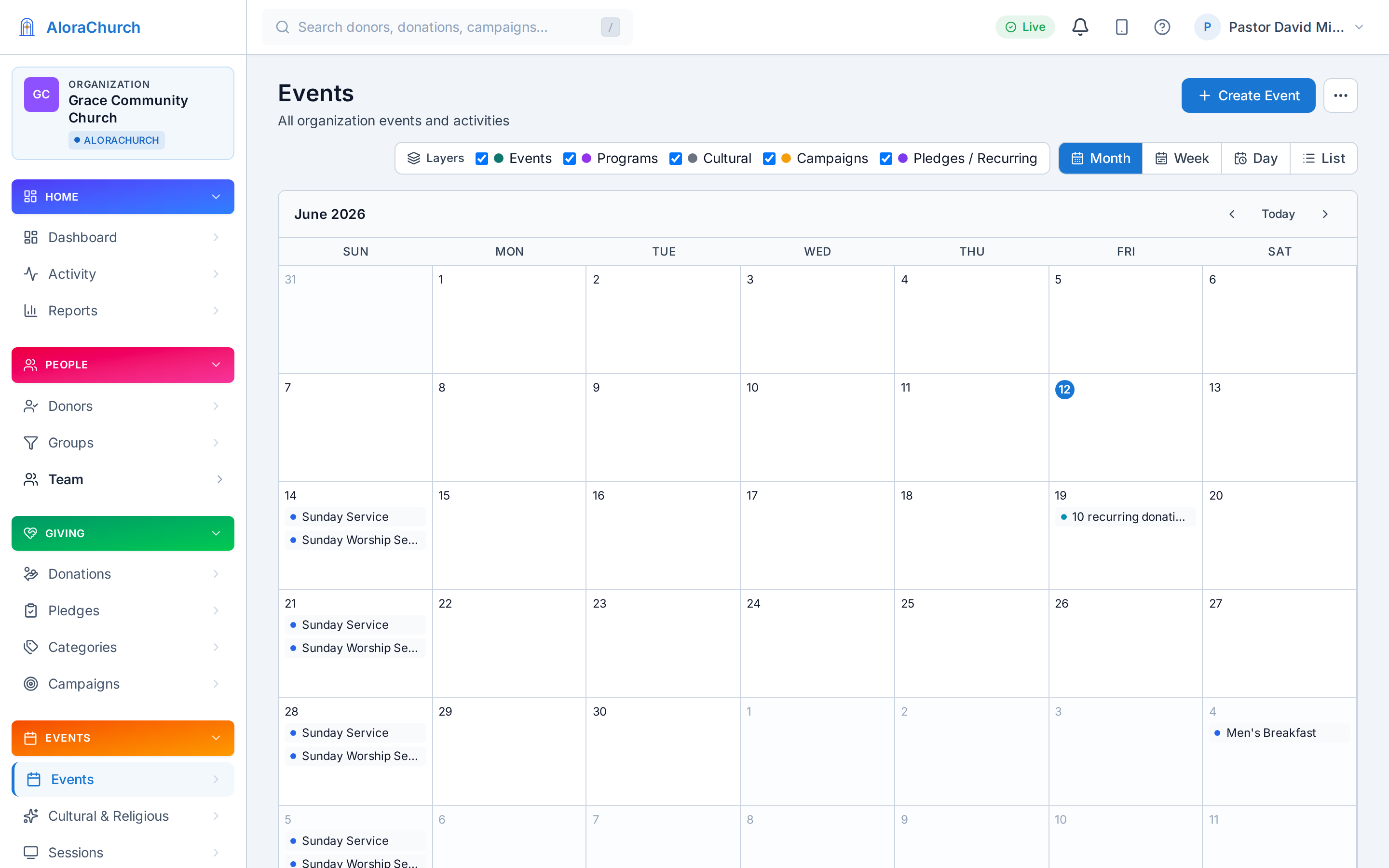
The church calendar in the AloraChurch dashboard — month, week, day, and list views

The church calendar in the dashboard — month, week, day, and list views.

One calendar the whole church lives on

1

Programs project their schedules

The marriage course's six Friday sessions, the youth group's Wednesdays, the choir's Thursdays — each program writes its own schedule onto the church calendar. Change the program, and the calendar follows.

2

The liturgical year overlays it

Advent, Lent, Holy Week, Easter — Pascha in Orthodox congregations — are already on the calendar when you plan. Schedule the choir's extra rehearsals against Holy Week, not around it. The liturgical year, built in →

3

Families subscribe once

Every family adds the church's .ics/iCal feed to Google Calendar, Outlook, or Apple Calendar — and new events simply appear on their phones. No more "when is it again?" texts.

Announce it where your congregation already looks

Create the event once — then let it show up on the church website, the foyer screen, and in the inbox of exactly the people it's for.

🖥️

Events widgets on your website

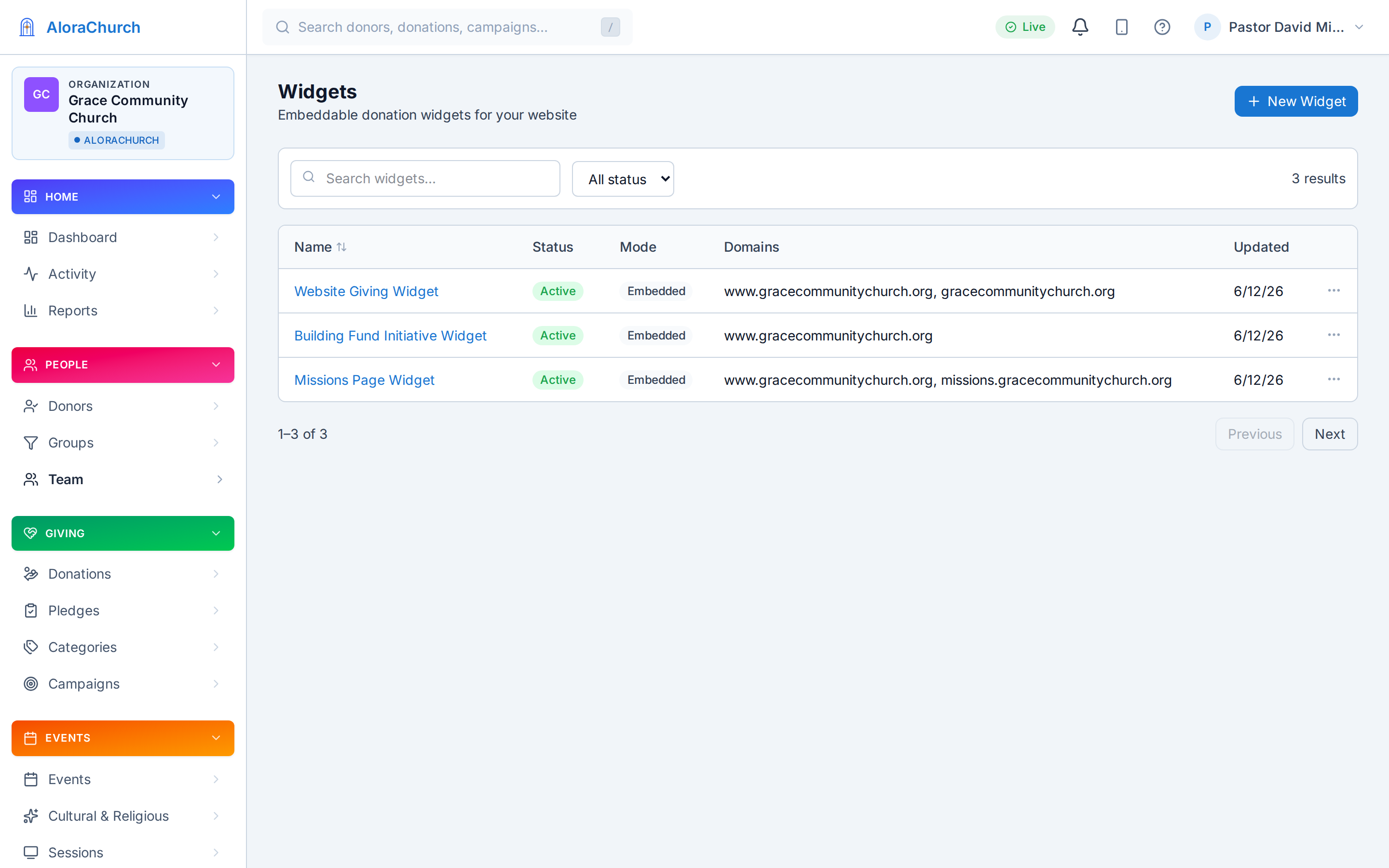
Event cards with one-click RSVP, a mini-calendar of what's ahead, and countdown timers — embedded on your church's website with one line of code. Website widgets →

📺

Lobby signageEarly access

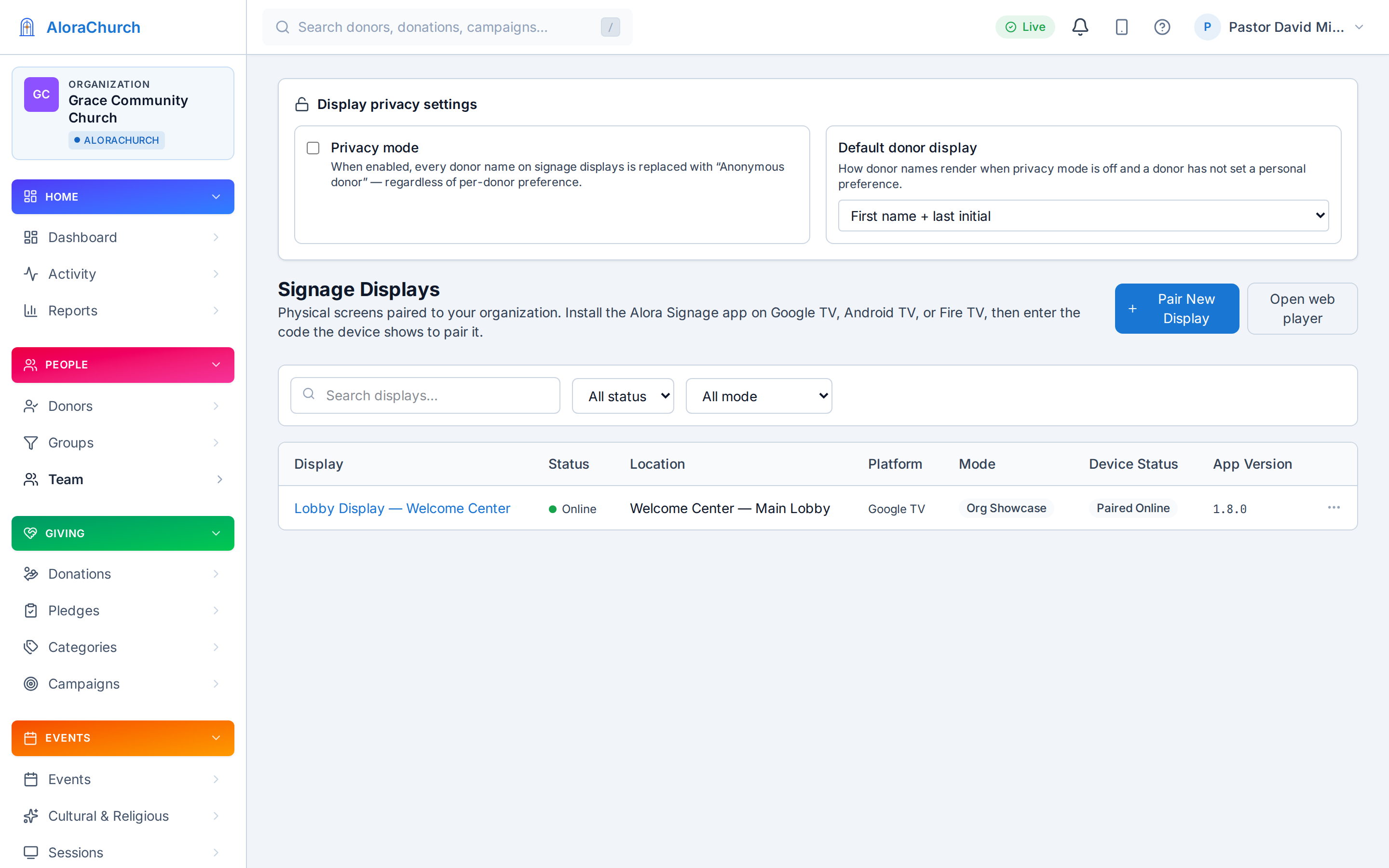
Upcoming-event announcements rotate on the foyer TV between services — VBS registration open, the marriage course starting Friday. Digital signage →

✉️

Email, to exactly the right people

Segment-targeted broadcasts: parents of young families get the VBS email, the choir gets the rehearsal change — each giver emailed individually, not the whole list every time. Segments → · Automation →

Widget Studio — events, announcement, and giving widgets for the church website
Widget Studio — events widgets for your church website
Signage screens managed from the dashboard — early access
Signage screens, managed from the dashboard (early access)

When the dinner is also an offering

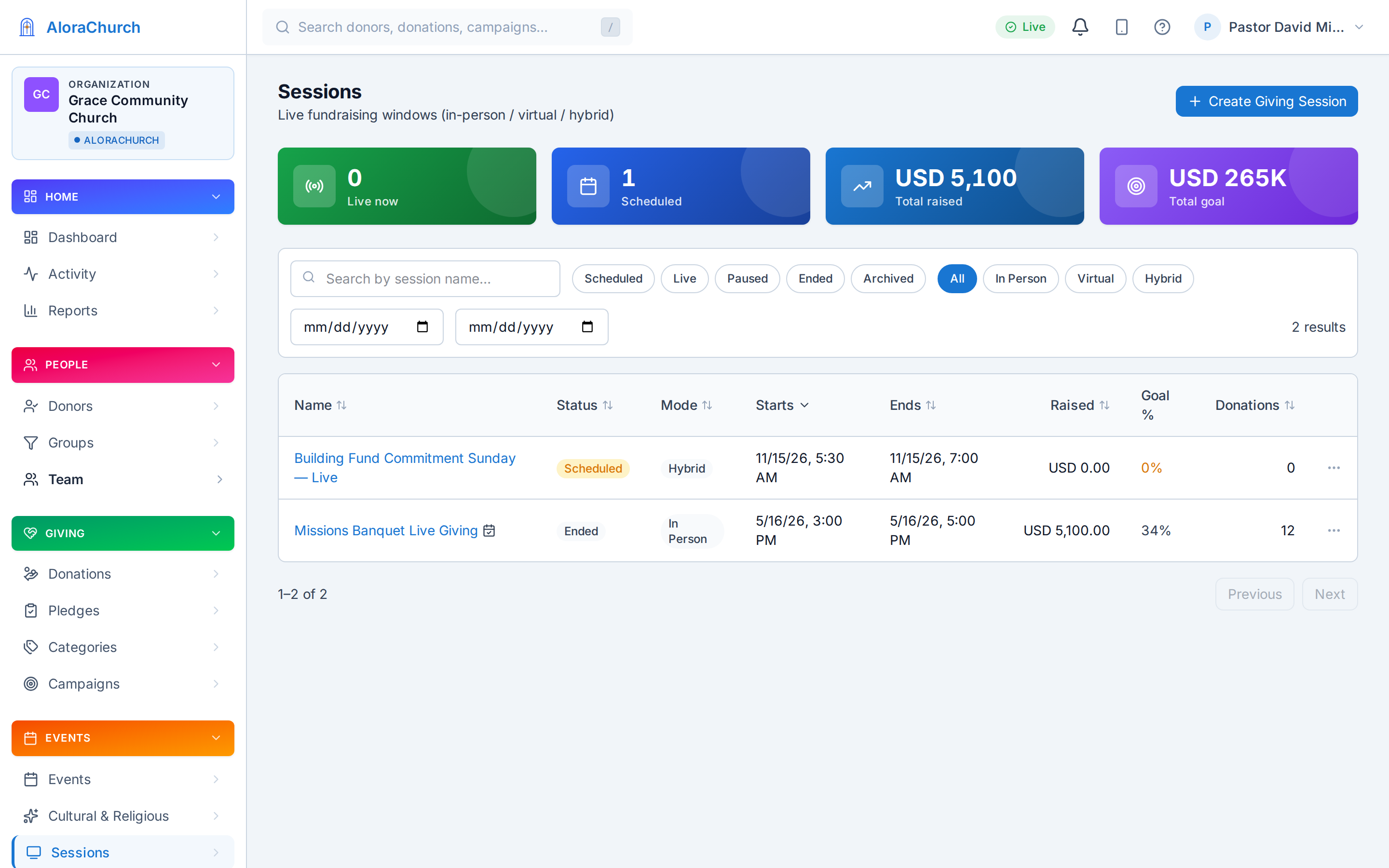
The missions banquet, the ticketed Valentine's dinner, the building-fund gala — some evenings are both a gathering and a moment of generosity. Pair the event with a live giving event: RSVP handles the seats; the live giving event handles the giving.

Guests scan the QR on the table card or enter a short code from their seat, give in a few taps, and watch the thermometer climb on the screen as the room responds together.

And every gift lands in the same ledger as Sunday's offering — on the same giver records, counting toward the same initiative, on the same year-end statement. No separate event float to reconcile on Monday.

More on live giving events →

Dashboard list of live giving events with status, totals, and codes

Live giving events — codes, totals, and status in the dashboard.

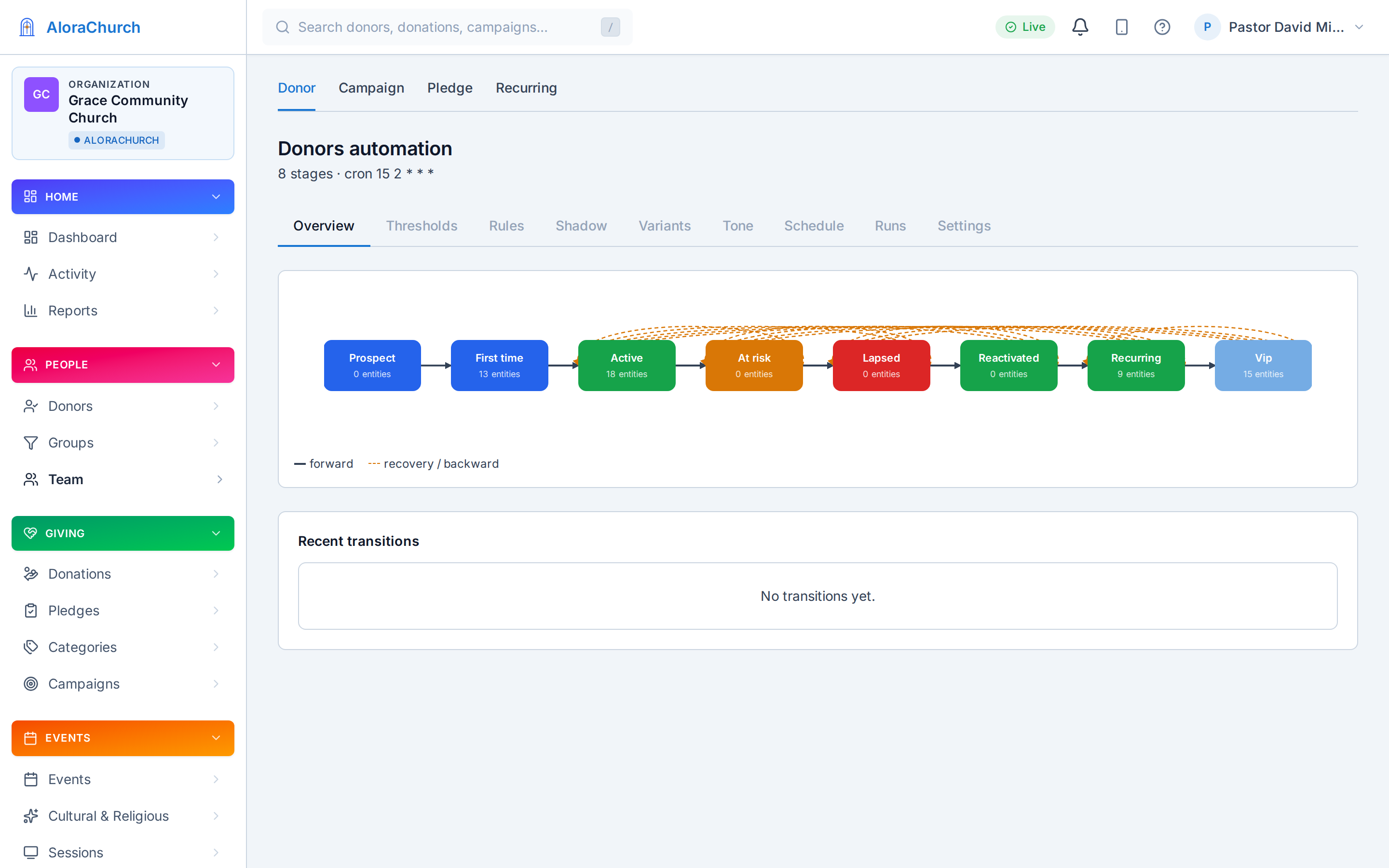
Giver lifecycle automation — welcome, steward, renew, win back

Lifecycle automation — the follow-up drafts itself; your staff approves.

The event ends. The follow-up is clear.

1

The RSVP list stays usable

Who came, who cancelled, who joined the waitlist — the event record remains available for the volunteer coordinator, kitchen team, and pastor's Monday briefing.

2

Follow-up starts from the right list

Export the attendee list or email the people connected to that event: first-time VBS families, newcomers' lunch guests, banquet attendees, or the choir rehearsal group.

3

Event gifts stay in the giving ledger

If the dinner or gala includes a live giving moment, those gifts count toward the right initiative and appear on the same giver records and year-end statements as Sunday's offering.

Your first event, published today

No setup project, no developer, no waiting on the volunteer who built the website.

1

Pick your tradition

Your funds, vocabulary, and liturgical calendar start with church-ready defaults.

2

Create the event

Title, dates, places, waitlist on — the public event page and RSVP list are live in a couple of minutes.

3

Share the link

The bulletin, the website widget, the congregation's WhatsApp group chat — RSVPs start arriving the same day.